In this analysis
A page can be fast and still be unusable
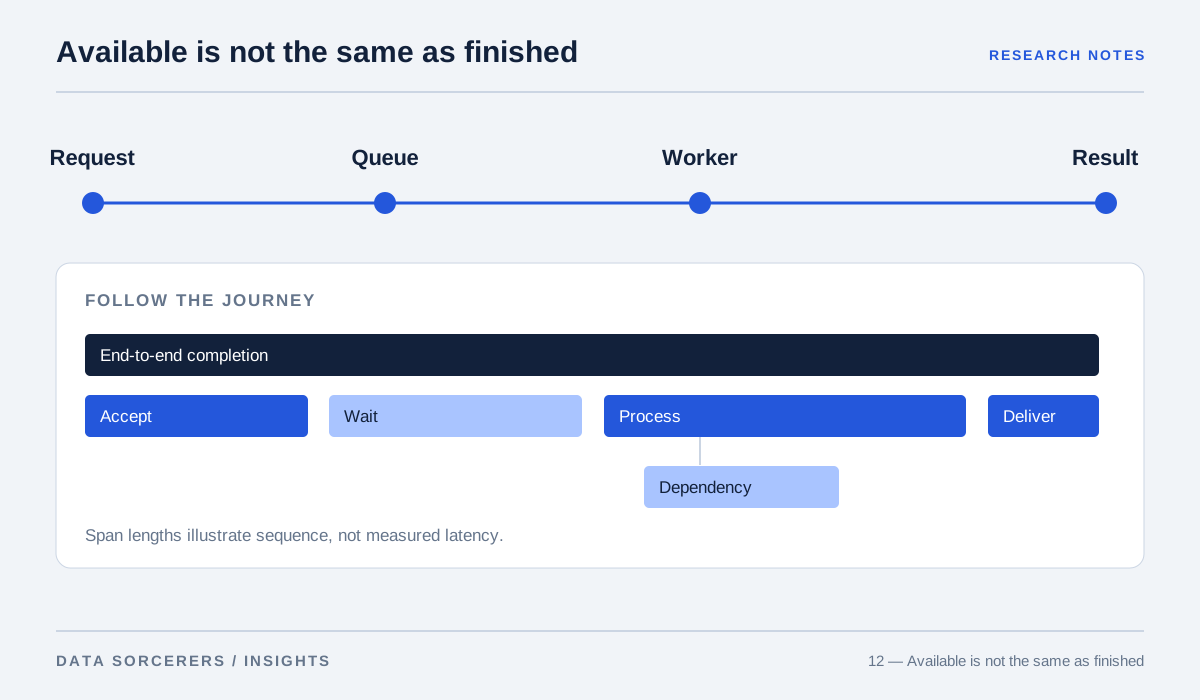
A website receives an excellent automated performance score. Its navigation cannot be operated with a keyboard, its form labels disappear when a field is filled, and a dialog hides the focused control behind an overlay. The page loads quickly, but some visitors cannot complete the task. A different site may be accessible in principle yet consume so much data that it is impractical on a weak connection. These hypothetical cases show why performance and accessibility belong in the same product discussion.
Web Vitals addresses aspects of loading, responsiveness, and visual stability. WCAG 2.2 addresses a broader set of accessibility requirements. 12 They are complementary frameworks, not interchangeable scores. A good result in one does not certify the other.
Measure what the visitor experiences
Core Web Vitals includes Largest Contentful Paint, Interaction to Next Paint, and Cumulative Layout Shift. These metrics describe different parts of the experience: when important content appears, how interactions respond, and whether the page moves unexpectedly. Lighthouse combines laboratory measurements into a weighted performance score under a defined test environment. 110
The distinction between laboratory and field evidence matters. A lab run is repeatable and useful for diagnosis; real visitors bring different devices, networks, page states, and interaction patterns. Our recommendation is to use lab tests to investigate causes and field measurements, where available and appropriately collected, to understand the distribution of experiences. Do not promise that one score represents every user.
The image has a job to do
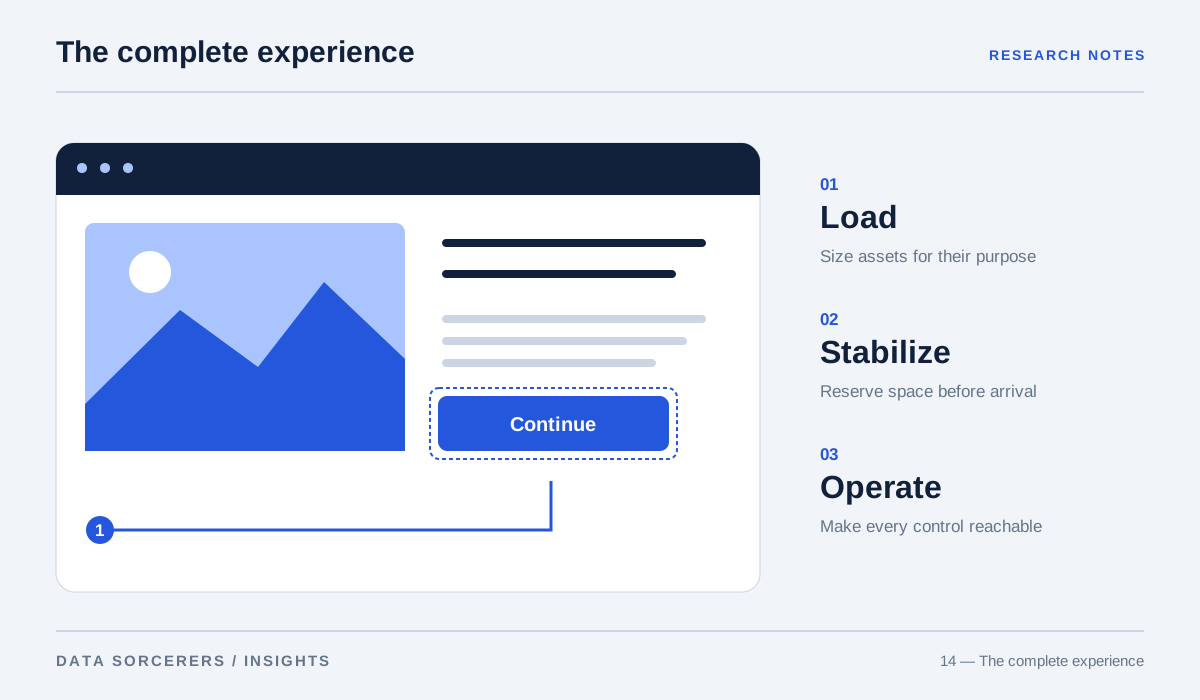
The HTML image element supports intrinsic dimensions and alternative text, while responsive-image techniques allow the browser to select an appropriate resource for its display conditions. 56 These mechanisms connect performance and accessibility directly. Explicit dimensions help reserve space; appropriate image variants reduce unnecessary transfer; meaningful alternative text communicates content when the image cannot serve that role visually.
For an editorial article, distinguish an explanatory figure from decoration. The figure needs a useful text description and, when necessary, a caption explaining its meaning. It should not force a mobile reader to decode tiny labels. A decorative image can use an empty alternative when adjacent text already carries the information. The decision should follow the image’s purpose, not a rule that every asset needs a lengthy description.
Native controls carry useful behavior
The HTML standard defines interactive elements, and the ARIA Authoring Practices Guide describes accessible interaction patterns. 34 A native button or disclosure control begins with behavior that a custom clickable container would have to recreate. ARIA can communicate semantics, but adding a role does not automatically implement keyboard interaction or focus management.
Consider a mobile navigation menu. Test whether it can be opened, traversed, and closed without a pointer. Check whether focus moves predictably and returns to the trigger when appropriate. These are observable behaviors, not aesthetic preferences. A visually polished menu that traps focus or hides its expanded state can prevent access to the entire site, regardless of how quickly its assets arrive.
Typography is part of the loading strategy
Web-font loading can affect when text appears and whether it shifts after rendering. Google’s guidance discusses strategies for loading and rendering fonts while managing those trade-offs. 7 A brand typeface does not need to be abandoned, but it should be treated as a resource with a cost and a fallback behavior.
We recommend loading only the weights and character ranges actually needed, selecting sensible fallbacks, and checking line wrapping before and after the custom font is available. A headline that changes height can move a nearby control just as the user tries to activate it. The relevant quality is not merely the final screenshot. It is the sequence of states the visitor experiences while the page becomes usable.
Motion should not be a requirement for understanding
W3C’s technique for the prefers-reduced-motion media query describes respecting a user preference for reduced motion. 9 This is especially relevant to animated diagrams, parallax effects, and transitions that accompany navigation. Motion can explain a relationship, but the essential content should remain understandable when animation is reduced or absent.
For a process diagram, a static labeled sequence can preserve meaning while optional animation demonstrates flow. For a carousel, users need a way to reach content without depending on a timed transition. We suggest testing the reduced-motion state as a deliberate design variant. It should look finished, not like a broken version of the animated experience.
Instrumentation needs a question
The Performance Timeline specification provides a framework for exposing performance entries to scripts. 8 Instrumentation is useful when it helps answer a concrete question: which resource delays the main content, which interaction blocks the interface, or which change introduced instability?
Avoid collecting measurements without a plan for interpreting them. Compare similar page states, preserve test conditions, and inspect distributions rather than a single favorable run. Pair automated checks with keyboard navigation, zoom, small-screen inspection, and assistive-technology review where possible. Automated tools can reveal many defects, but they cannot fully judge whether a figure explains its subject or whether a form’s error message helps a person recover.
Loading order is a decision about importance
A page should not treat its first visible editorial figure and an image several screens below it as equally urgent. Loading a prominent image lazily can delay the content the visitor came to see; eagerly loading every thumbnail can compete for bandwidth and processing. The image element and responsive-image guidance provide mechanisms for expressing these priorities. 56
Specify dimensions before the resource arrives, provide appropriate variants, and reserve eager loading for content that justifies it. Then inspect the actual page rather than assuming an attribute produced the intended outcome. A figure might be visible immediately on a large screen and far below the headline on a small one. The optimization question is contextual: which resource helps this visitor understand or operate the page next, and which work can wait without hiding essential information?
Optimize the completed task
A practical acceptance review can follow one visitor journey from arrival to completion. Does the primary content appear promptly? Can the visitor understand it, reach the relevant control, and recover from an error? Does the layout remain stable on a narrow screen? Can the same task be completed with reduced motion and without a mouse?
The standards and engineering guidance support a shared approach: meaningful HTML, appropriately sized assets, stable layouts, understandable controls, and evidence from actual use. Our conclusion is that performance optimization becomes more valuable when it protects access rather than chasing a score in isolation. The successful page makes its important work available sooner and keeps that work operable for the people who arrive.
Test a complete journey under real constraints, using performance and accessibility measures together.
Sources & methodology
This editorial synthesizes primary research, technical standards, and original engineering documentation. It is not an original experimental study or a systematic literature review. Research findings apply to the conditions studied; product recommendations are our interpretation. Figures explain concepts and do not present experimental measurements.
Sources checked on 31 October 2026. Publication dates and preprint versions may differ; the linked record identifies the referenced work. To suggest a correction, email contact@data-sorcerers.com.
- Google web.dev — Web Vitals ↗Back to text ↑
- W3C — Web Content Accessibility Guidelines 2.2 ↗Back to text ↑
- W3C — ARIA Authoring Practices Guide ↗Back to text ↑
- WHATWG — HTML Living Standard: Interactive Elements ↗Back to text ↑
- MDN — The Image Embed Element ↗Back to text ↑
- Google web.dev — Responsive Images ↗Back to text ↑
- Google web.dev — Optimize WebFont Loading and Rendering ↗Back to text ↑
- W3C — Performance Timeline ↗Back to text ↑
- W3C — Technique C39: Using the CSS Prefers-reduced-motion Query ↗Back to text ↑
- Chrome for Developers — Lighthouse Performance Scoring ↗Back to text ↑